

Community Contribution
Use Community Contribution when you want to share standalone, reusable reference spectra with the community, without linking them to a manuscript-style project publication.
Unlike Publication Deposition, Community Contribution focuses on publishing selected samples as independent public entries.
Before You Start
Before uploading data, you need an nmrXiv account.
You should also organize your files as:
- one folder per sample,
- all NMR experiment files for that sample inside the same folder,
- include a
.molor.sdffile when possible to help auto-import structure information.
For folder examples, see Folder Structure.
Choose Community Contribution
From the Deposit data menu, choose Community Contribution.
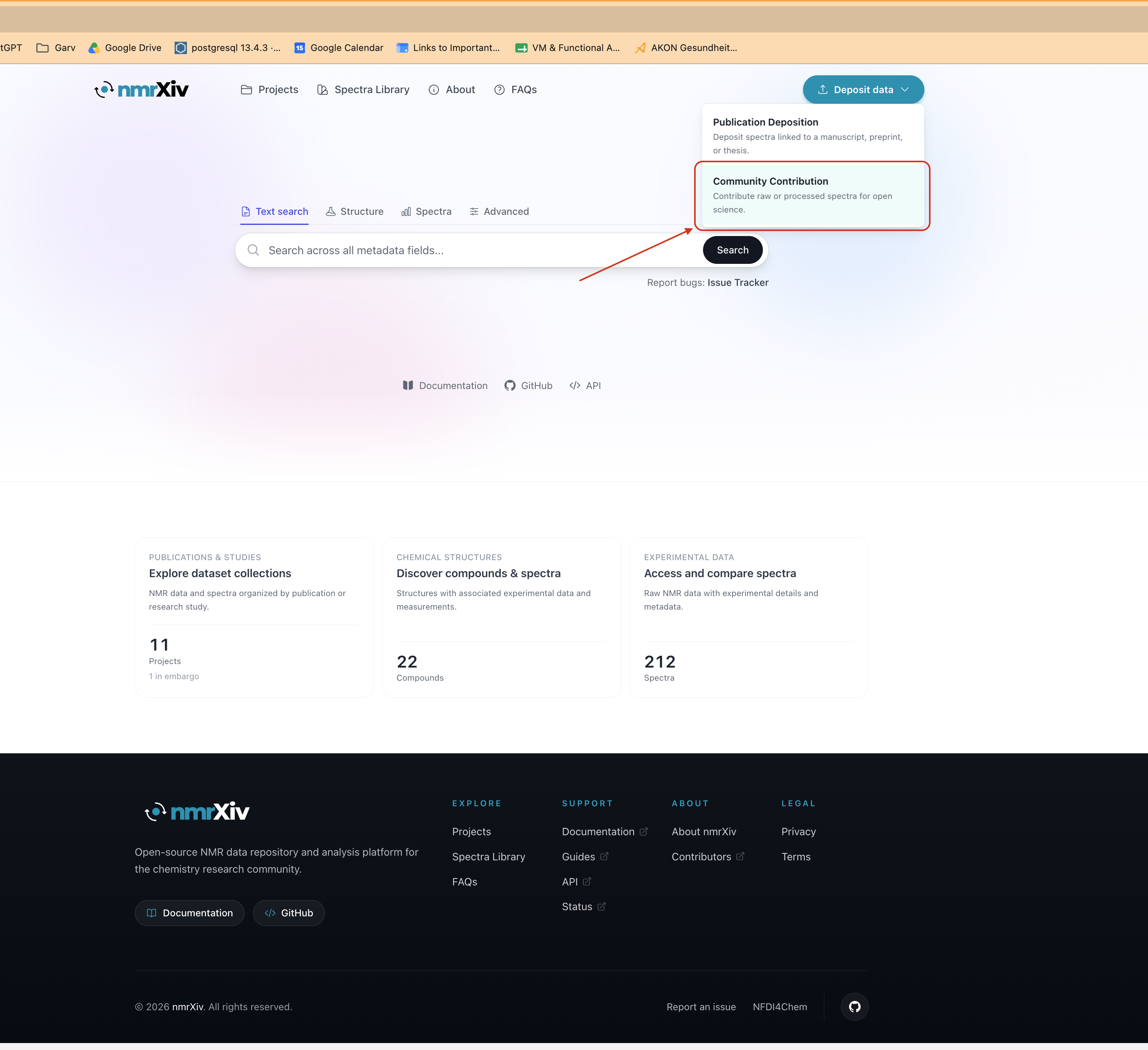
This opens a dedicated private draft workspace for community submissions.
Step 1 - Upload Files
Upload your sample folders into the draft workspace.
Use the upload area to drag and drop folders or select them manually.
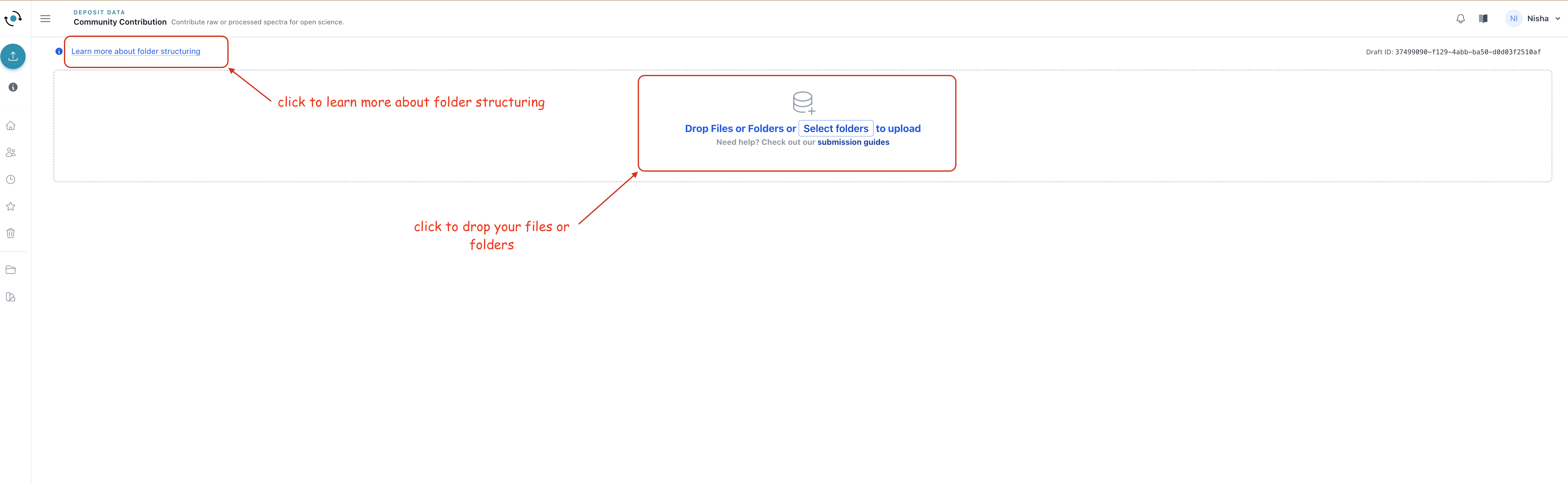
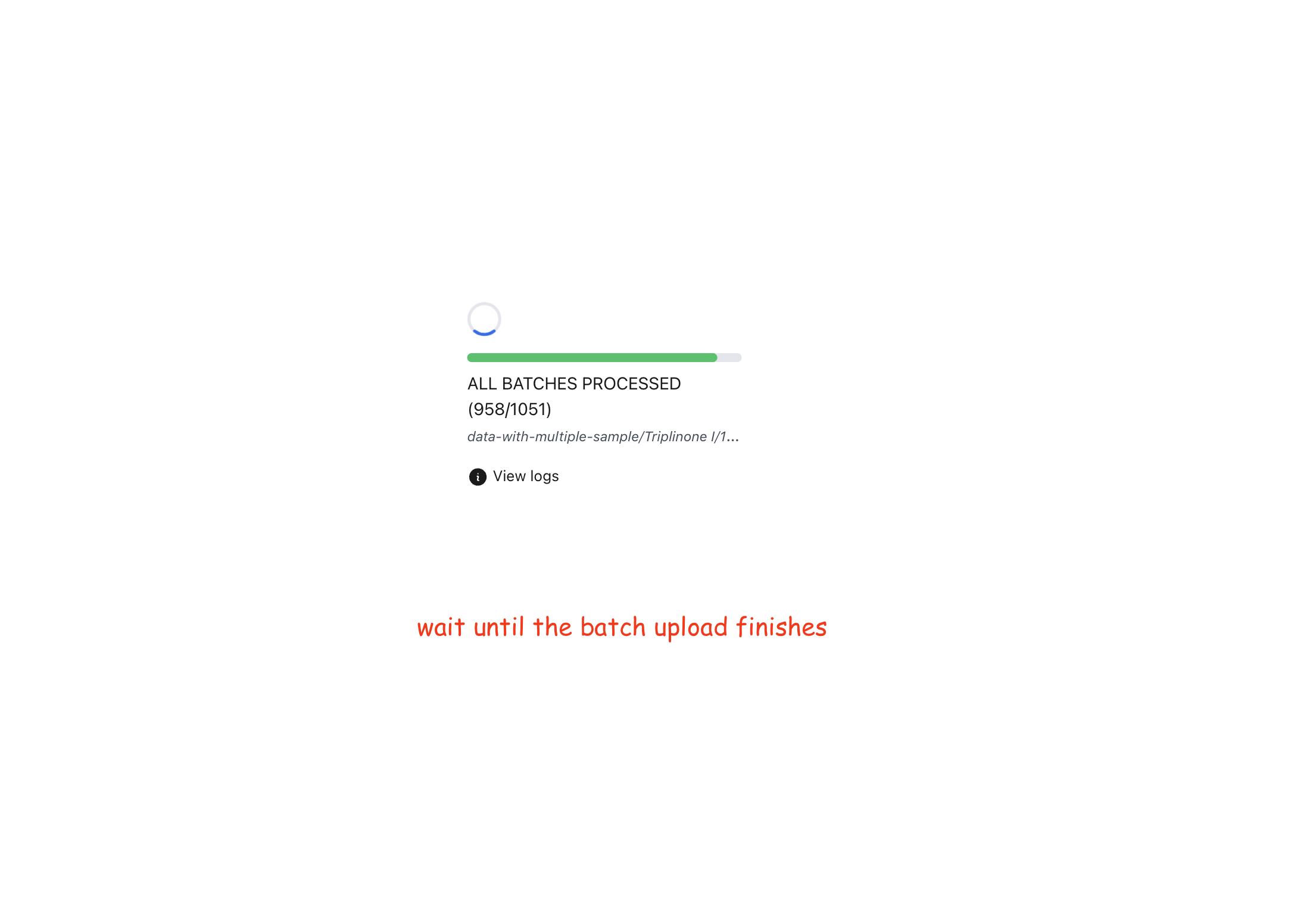
After upload starts, wait until all batches are processed. If needed, open logs to inspect upload details.
Step 2 - Auto Processing and Workspace Review
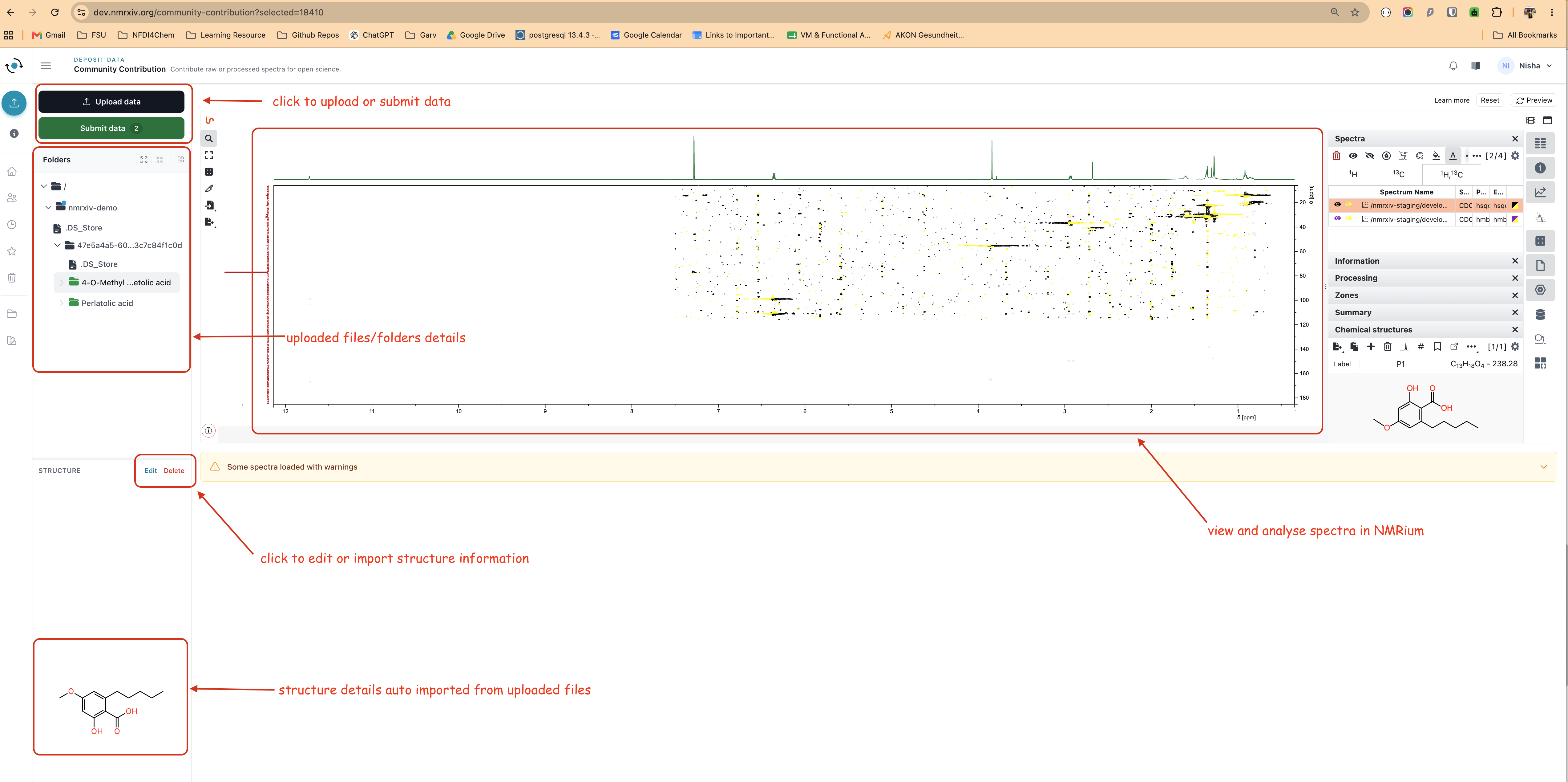
After files are uploaded, nmrXiv processes the draft and detects sample folders and datasets.
In this workspace, you can:
- review uploaded sample folders on the left,
- inspect and analyze spectra in NMRium,
- check imported structure details,
- use Upload data to add more files,
- use Submit data once samples are ready.
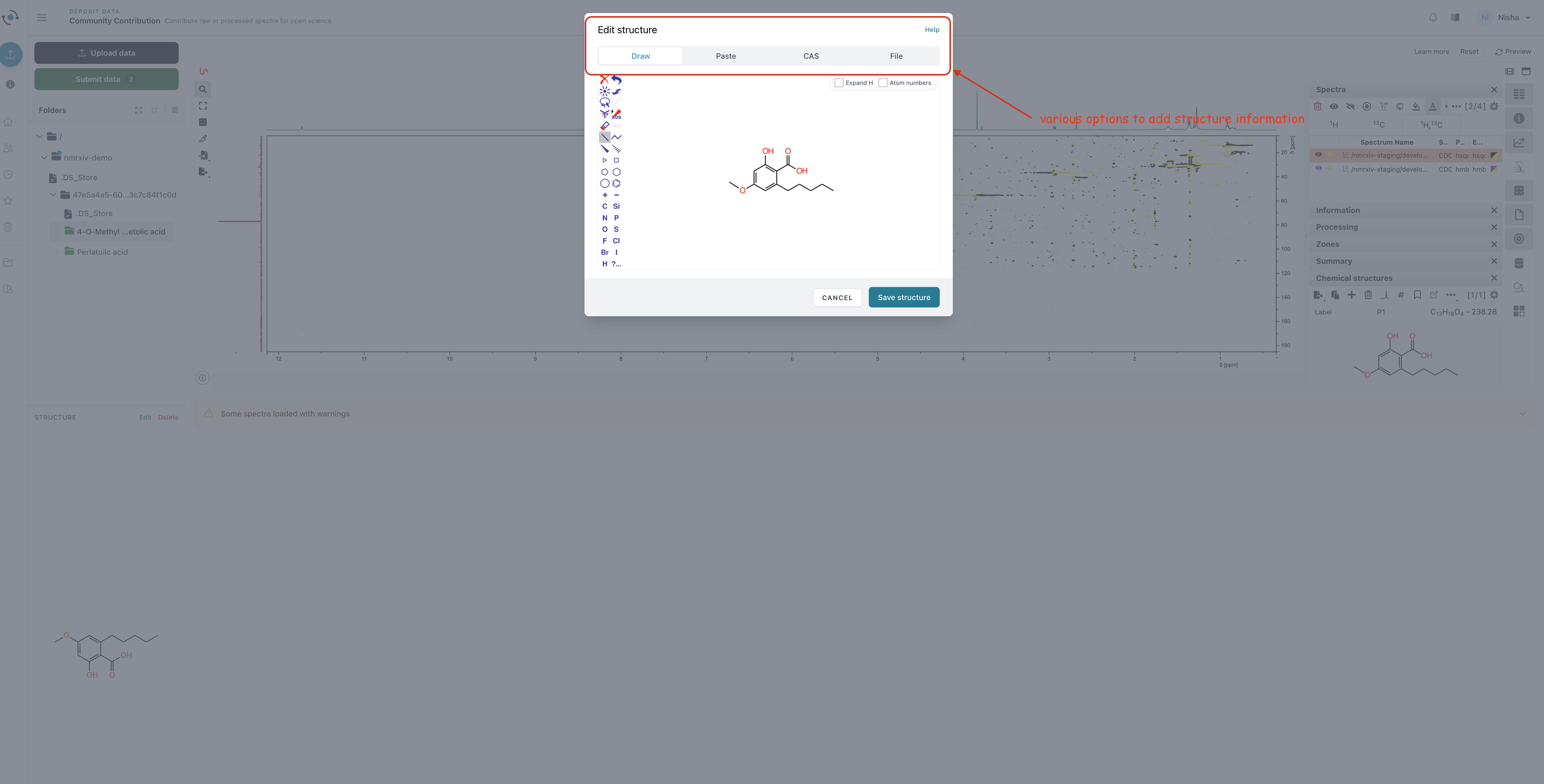
Step 3 - Confirm or Add Structure Information
Each sample must have structure information before submission.
If structure metadata is missing or needs correction, use the structure editor. You can:
- draw manually,
- paste structure input,
- search/import via CAS,
- import from file.
Ready-to-Submit Checklist
A sample becomes eligible for community submission when:
- processing is complete,
- NMRium data is available,
- a structure is assigned.
Only eligible samples appear in the publish list.
Step 4 - Submit Selected Samples
Click Submit data to open the submission modal.
In this step, you can:
- choose which ready samples to publish,
- confirm Terms and Conditions,
- submit selected samples for publication.
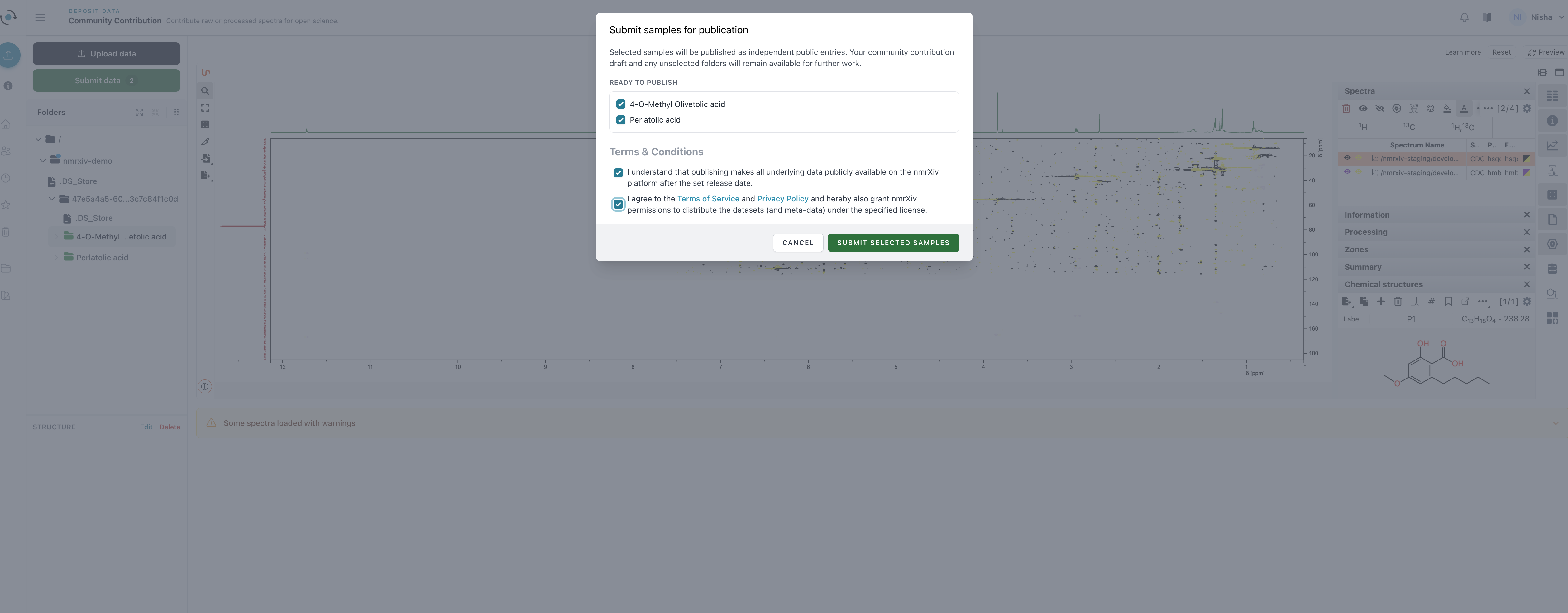
Selected samples are queued and published as independent public entries. Unselected samples remain in the draft so you can continue working and submit later.
After Publication
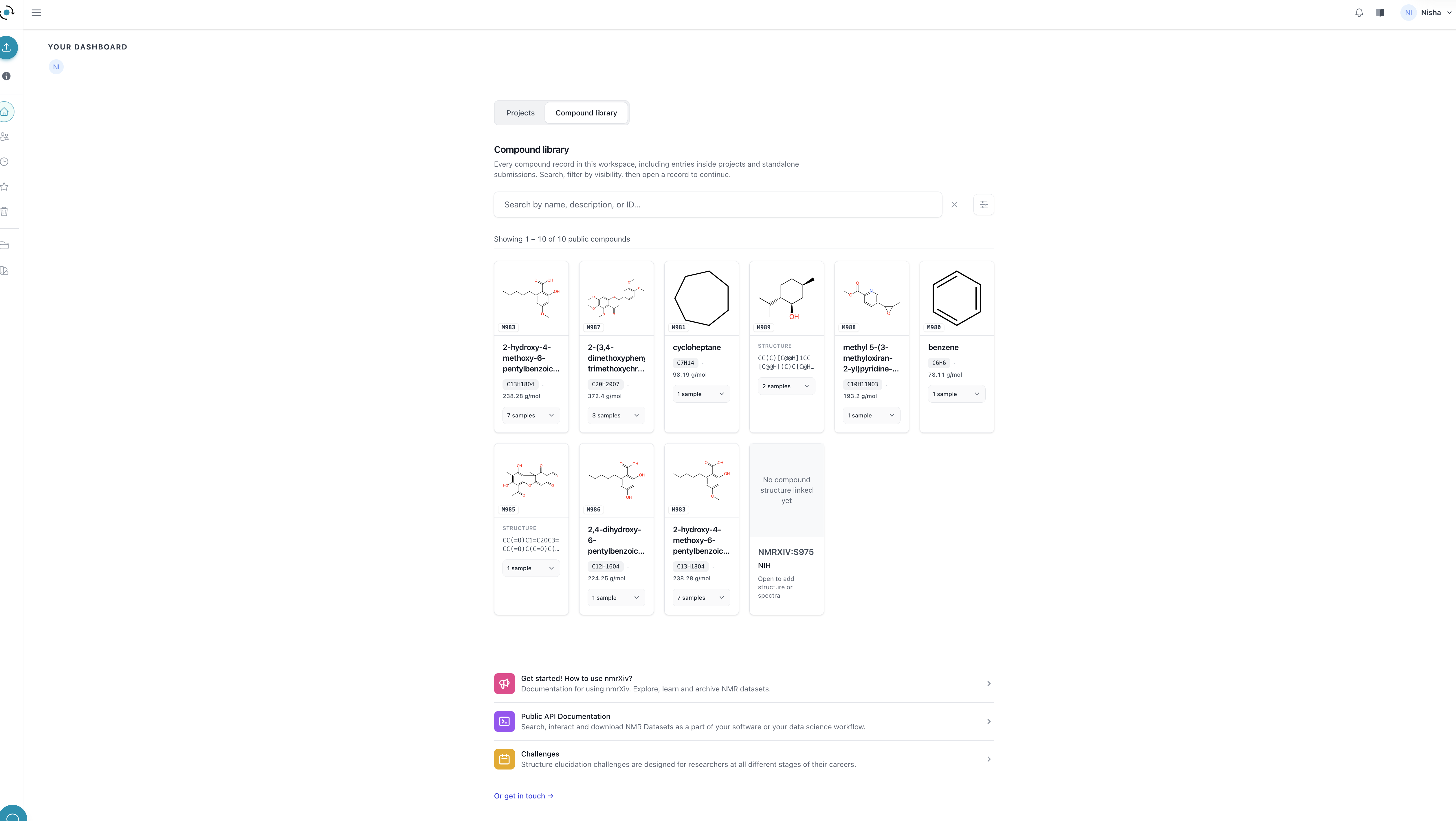
After processing and publication, submitted community samples appear as public records and are discoverable in the platform (including compound library views).
Each published sample also receives a downloadable BagIt archive that bundles its raw data, the spectra metadata produced during processing, and checksums for every file.
Downloading the BagIt Archive
BagIt is an open packaging standard for preserving and transferring digital research data. It keeps the sample's raw files, metadata, and integrity checksums together in a structured archive, so the contents can be verified and reused independently of nmrXiv.
After a sample is published, nmrXiv creates its BagIt archive in the background. The archive may take a few minutes to become available, depending on the amount of data in the sample. We will email you when it is ready to download.
To download it, open the public sample page and use the Download menu in the top right corner. It offers two options:
- Project Data - the complete project data as a plain ZIP file.
- BagIt Archive for this sample - the BagIt package for the sample as described below.
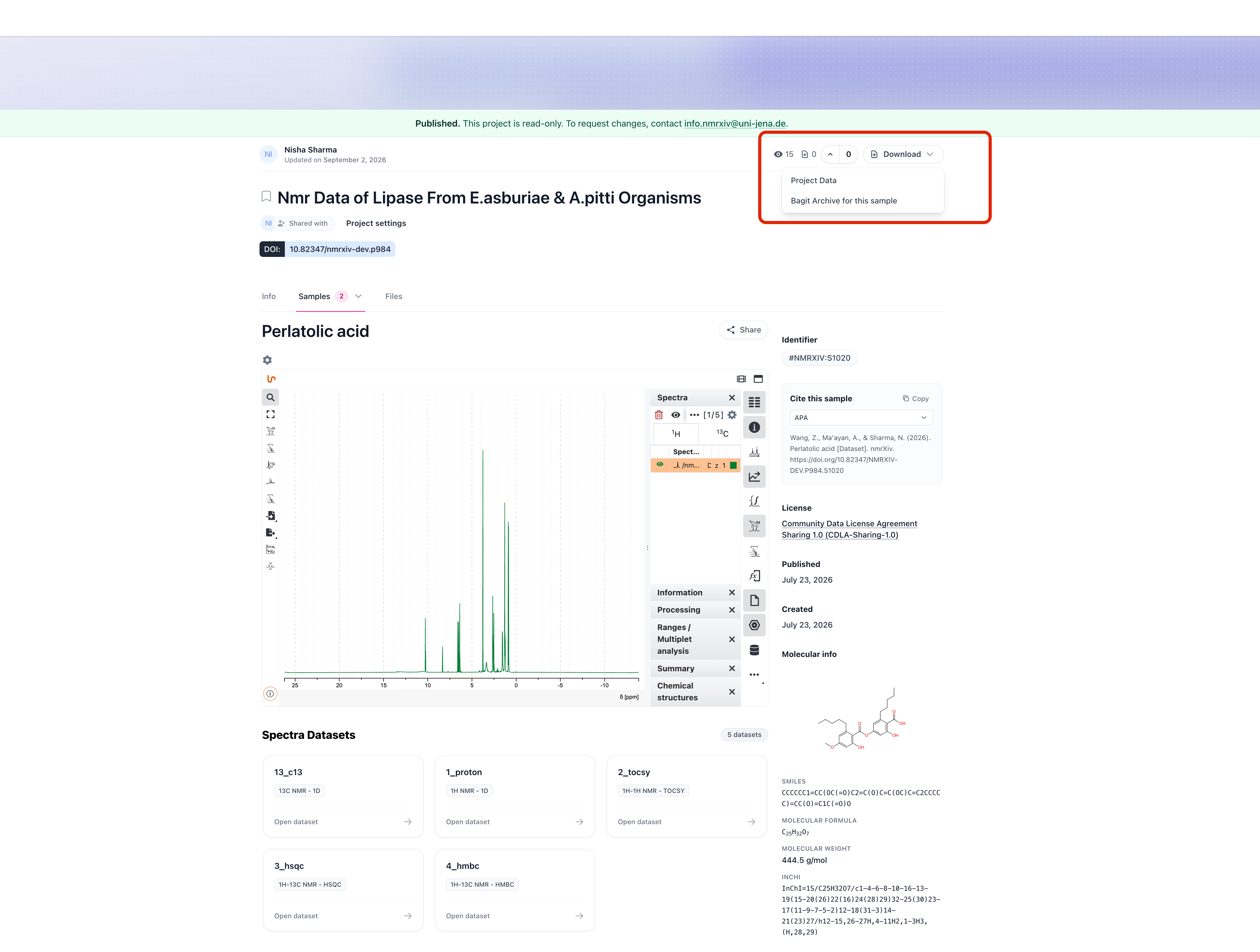
While generation is still running, the BagIt Archive for this sample option stays greyed out. Once the archive is ready the option becomes clickable.
What the BagIt Archive Contains
The archive follows the BagIt structure: a data/ folder holding the payload, plus tag files that describe and verify it.
S1020.zip
├── bagit.txt                     BagIt version and character encoding
├── bag-info.txt                  payload size, file count, bagging date
├── manifest-sha256.txt           SHA-256 checksum of every file under data/
├── tagmanifest-sha256.txt        SHA-256 checksum of the three files above
└── data/
    └── Perlatolic acid/          the published sample
        ├── Perlatolic acid.mol   the assigned chemical structure
        ├── 1_proton/             one folder per spectra dataset, as uploaded
        │   ├── acqu, acqus       acquisition parameters
        │   ├── fid               raw acquisition data
        │   ├── pulseprogram      pulse sequence used
        │   └── pdata/1/          processed spectra (1r, 1i, procs, title)
        ├── 13_c13/
        ├── 2_tocsy/
        ├── 3_hsqc/
        ├── 4_hmbc/
        └── nmrxiv-meta/          metadata generated by nmrXiv
            ├── S1020.nmrium      processed spectra metadata
            ├── bio-schema.json   Bioschemas description of the sample
└── images/ rendered spectrum previews (PNG)- Raw data - every spectra dataset you uploaded is preserved unchanged under
data/<sample name>/, including acquisition parameters, FIDs, pulse programs, and processed spectra inpdata/. - Structure - the
.molfile for the structure assigned to the sample. - nmrXiv metadata - the
nmrxiv-meta/folder adds the.nmriumfile with the processed spectra metadata, abio-schema.jsondescription of the sample, and PNG previews of each spectrum. - Checksums -
manifest-sha256.txtlists a SHA-256 hash for every payload file, so you can confirm the download is complete and unmodified using any BagIt-compatible tool.
BagIt makes each published sample a self-describing and portable data package. It keeps the raw data, processed metadata, structure information, previews, and verification files together, allowing the package to be shared, preserved, or moved between storage systems without relying on the nmrXiv website to interpret the files.
- Integrity and preservation - SHA-256 manifests help detect incomplete, damaged, or changed files when data is downloaded, copied, backed up, or restored.
- Reproducibility and reuse - raw acquisition files and processed spectra information remain available together for independent analysis, comparison, teaching, and method development.
- Interoperability - BagIt is an open packaging convention, so other repositories and compatible tools can inspect and validate the archive without the nmrXiv web application.
Important Notes
WARNING
Community Contribution is intended for open sharing. Review selected samples, structure information, and terms carefully before submitting.
WARNING
Screenshots and GIFs may show the nmrXiv development environment. Do not upload sensitive or unpublished real data to a demo or development server.
INFO
Need manuscript-linked deposition with project-level publication metadata? Use Publication Deposition.